


Asus ROG G700 Intel® Core™ Ultra 5 Windows 11 Home PC (RTX 5070 PRIME | 16GB DDR5 | 1TB NVMe)
ASUS ROG G700 | Intel Core Ultra 5 225F | 16GB DDR5 | 1TB PCIe 4.0 NVMe SSD | RTX 5070 Prime 12GB | Windows 11 Home Quick Specs
Get Notified When Available
Enter your email and we'll notify you when this item is back in stock.
Frequently Bought Together
ASUS ROG G700 | Intel Core Ultra 5 225F | 16GB DDR5 | 1TB PCIe 4.0 NVMe SSD | RTX 5070 Prime 12GB | Windows 11 Home
Quick Specs
- Game at high settings with the GeForce RTX 5070 and 12GB of GDDR7 memory
- Power through multitasking on a 10-core Intel Core Ultra 5 225F processor
- Load games and apps fast from a 1TB PCIe 4.0 NVMe SSD
- Stay cool under pressure with liquid CPU cooling and optimised airflow
- Upgrade with ease thanks to tool-less side and front panels
Ready to Play, Straight Out of the Box
The ASUS ROG G700 is a 2025 high-performance gaming desktop built to drop into your setup and go. Pairing a 10-core Intel Core Ultra 5 225F processor with an ASUS Prime GeForce RTX 5070 graphics card and Windows 11 Home, it handles modern titles, streaming and everyday multitasking with room to spare — a genuine all-rounder for gamers who want strong performance without building from scratch.
Next-Gen Graphics with GeForce RTX 5070
At the heart of this build is the ASUS Prime GeForce RTX 5070 12GB GDDR7, based on NVIDIA’s Blackwell architecture. With 12GB of fast GDDR7 memory, it brings DLSS 4 with Multi Frame Generation, fourth-gen ray tracing cores and fifth-gen Tensor cores for smooth, high-fidelity frames in the latest games. The Prime card’s SFF-ready 2.5-slot, triple Axial-tech fan cooler pairs a phase-change GPU thermal pad and ASUS MaxContact design with dual-ball bearings, 0dB technology and Dual BIOS — keeping things cool and quiet whether you’re pushing performance or after a near-silent build.
Intel Core Ultra 5 Processing
The Intel Core Ultra 5 225F runs 10 cores and 10 threads at up to 4.9GHz with 20MB of cache, giving the G700 the muscle for gaming, content creation and heavy multitasking alike. It ships with 16GB of DDR5 U-DIMM memory and supports up to 128GB, so there’s plenty of headroom to expand as your workloads grow.
Fast Storage and Networking
A 1TB M.2 2280 NVMe PCIe 4.0 SSD keeps boot times, game loads and file transfers snappy, while 2.5 Gigabit Realtek networking (10/100/1000/2500 Mbps) ensures low-latency online play and fast downloads when paired with a capable connection. It’s a storage-and-connectivity combo built for a responsive, lag-free experience.
Cool, Quiet and Easy to Upgrade
The G700 keeps its cool with a liquid CPU cooler and an airflow-optimised chassis, holding performance steady during long gaming sessions. When it’s time to upgrade, the tool-less side and front panels make accessing the internals quick and painless — no fiddly screws between you and your next component swap.
FEATURES:
- Intel Core Ultra 5 225F processor with 10 cores, 10 threads, up to 4.9GHz and 20MB cache
- ASUS Prime GeForce RTX 5070 12GB GDDR7 graphics on NVIDIA Blackwell architecture
- DLSS 4 with Multi Frame Generation, fourth-gen ray tracing and fifth-gen Tensor cores
- 16GB DDR5 U-DIMM memory, expandable up to 128GB
- 1TB M.2 2280 NVMe PCIe 4.0 SSD
- Liquid CPU cooler with air and liquid cooling configurations
- 2.5 Gigabit Realtek RTL8125BG networking (10/100/1000/2500 Mbps)
- Tool-less side and front panels for easy upgrades and maintenance
- ASUS Prime GPU with three Axial-tech fans, dual-ball bearings, 2.5-slot SFF-ready design, phase-change thermal pad, MaxContact design and Dual BIOS
- Windows 11 Home pre-installed
SPECIFICATIONS:
- Operating System: Windows 11 Home
- Processor: Intel Core Ultra 5 225F, 3.3GHz (up to 4.9GHz), 10 cores / 10 threads, 20MB cache
- Graphics: ASUS Prime GeForce RTX 5070 12GB GDDR7
- Memory: 16GB DDR5 U-DIMM
- Maximum Memory: 128GB
- Storage: 1TB M.2 2280 NVMe PCIe 4.0 SSD
- Networking: Realtek RTL8125BG (10/100/1000/2500 Mbps)
- CPU Cooling: Liquid Cooler
- Chassis: Tool-less side and front panels
WHAT'S IN THE BOX:
- Asus ROG G700 Intel Core Ultra 5 Windows 11 Home PC (RTX 5070 PRIME | 16GB DDR5 | 1TB NVMe) x1
Why ASUS ROG?
ASUS ROG (Republic of Gamers) is one of the most trusted names among South African gamers, known for hardware that blends serious performance with build quality that lasts. The ROG G700 carries that reputation into a ready-to-game desktop, combining a capable Core Ultra 5 processor with GeForce RTX 5070 graphics for a setup that punches well above its footprint. For local gamers who want a dependable RTX 5070 gaming PC without the hassle of a custom build, the G700 is a smart, future-ready choice.
| Brand | ASUS |
| Colour | Black |
| Form Factor | - |
| Interface | - |
| Capacity | - |
| Memory Capacity | - |
| Screen Size | - |
| Resolution | - |
| Refresh Rate | - |
| Cpu | - |
| Cpu Socket | - |
| Warranty | 12 Months |
No reviews yet. Be the first to review this product!
Related Products
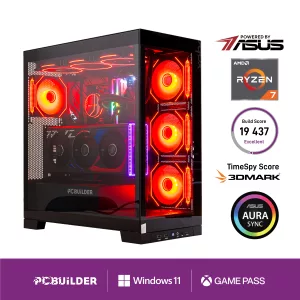

PCBuilder Ryzen 5 5600GT DEFENDER Windows 11 Gaming PC + Monitor Bundle
Out of Stock

Asus ROG G700 Gaming Desktop Tower | Ryzen 7 9700X | 32GB DDR5 | RTX 5070 | 1TB SSD | Windows 11
Out of Stock

Share this product
' + '' + '' + ''; modal.appendChild(content); function closeModal() { if (modal.parentNode) modal.parentNode.removeChild(modal); } modal.addEventListener('click', function(e) { if (e.target === modal) closeModal(); }); content.querySelector('[data-action="close-modal"]').addEventListener('click', closeModal); var copyBtn = content.querySelector('[data-action="copy-link"]'); var copyLabel = copyBtn.querySelector('.btn-label'); copyBtn.addEventListener('click', function() { function flashLabel(text) { var prev = copyLabel.textContent; copyLabel.textContent = text; setTimeout(function() { copyLabel.textContent = prev; }, 1800); } if (navigator.clipboard && navigator.clipboard.writeText) { navigator.clipboard.writeText(url) .then(function() { flashLabel('Copied!'); }) .catch(function() { flashLabel('Press Ctrl+C'); }); } else { // Legacy browser fallback — execCommand still works on http: contexts var ta = document.createElement('textarea'); ta.value = url; ta.style.position = 'fixed'; ta.style.opacity = '0'; document.body.appendChild(ta); ta.select(); try { document.execCommand('copy'); flashLabel('Copied!'); } catch (e) { flashLabel('Press Ctrl+C'); } document.body.removeChild(ta); } }); document.body.appendChild(modal); }