


Asus ROG Strix Helios II E-ATX Gaming Chassis Hatsune Miku Edition
Experience unparalleled airflow and cooling for your high-performance components; this E-ATX case is built for victory. Quick Specs
Get Notified When Available
Enter your email and we'll notify you when this item is back in stock.
Experience unparalleled airflow and cooling for your high-performance components; this E-ATX case is built for victory.
Quick Specs
- Achieve optimal thermal performance with four pre-installed 140 x 28mm high-airflow fans.
- Accommodate extensive builds with its spacious E-ATX form factor and mid-tower design.
- Ensure clear visibility of your components through tempered glass side panels.
- Benefit from a tool-less design for simplified component installation and maintenance.
- Enjoy robust connectivity with ample front panel I/O ports for all your peripherals.
For the dedicated South African gamer, the Asus ROG Strix Helios II Hatsune Miku Edition is more than just a case; it's a statement of intent.
This E-ATX gaming chassis is engineered for those who demand peak performance and refuse to compromise on aesthetics. Its striking Hatsune Miku design sets it apart, making it the centrepiece of any serious gaming setup. Crafted for builders who value both form and function, this mid-tower case provides a robust foundation for your most powerful components. It’s designed to house high-end graphics cards, multiple storage drives, and advanced cooling solutions, ensuring your system runs cool and performs at its best, session after session. This is the perfect Asus gaming PC case for the enthusiast who wants to showcase their build with pride.
Engineered for superior thermal control
Maintaining optimal temperatures is paramount for sustained performance, especially during intense gaming or demanding workloads. The ROG Strix Helios II excels in this arena, coming pre-equipped with four high-performance 140 x 28mm fans. These fans are meticulously chosen for their superior airflow capabilities, ensuring that hot air is efficiently expelled and cool air is drawn into the chassis. This proactive cooling strategy helps prevent thermal throttling, allowing your CPU and GPU to operate at their peak potential for extended periods. The thoughtful internal layout also facilitates further customisation, with ample space for additional fans or liquid cooling radiators, making it a versatile platform for even the most ambitious cooling configurations. This gaming chassis is built for durability and performance.
A canvas for your custom build
The Asus ROG Strix Helios II Hatsune Miku Edition isn't just about housing your components; it's about showcasing them. Featuring premium tempered glass side panels, this chassis offers an unobstructed view of your meticulously assembled hardware. Show off your RGB lighting, custom cabling, and high-end components in all their glory. The design prioritises ease of building, with a tool-less mechanism for installing storage drives and expansion cards. This attention to detail ensures that the building process is as enjoyable as the gaming experience itself, allowing you to focus on creating a system that is uniquely yours. The spacious E-ATX support means you can fit even the largest motherboards and components without compromise, making this a truly exceptional gaming chassis.
Designed for the ultimate gaming experience
Every element of the ROG Strix Helios II is geared towards enhancing your gaming experience. Its robust construction and premium materials provide a stable environment for your hardware, reducing vibrations and noise. The integrated I/O panel offers convenient access to high-speed USB ports and audio jacks, keeping your essential peripherals within easy reach. This chassis is more than just a container; it's an integral part of your gaming ecosystem, designed to support and elevate every aspect of your play. For the South African gamer who demands perfection in both performance and presentation, this Asus gaming PC case is the definitive choice.
FEATURES:
- Combines unbeatable ROG performance and sci-fi-inspired aesthetics with the signature blue-green and pink Hatsune Miku colour scheme
- The Helios II Hatsune Miku Edition is made for showcase builds, with aluminum front panel featuring diamond-grille design and 3D-structured filter to support effective cooling
- Pre-installed four 140 x 28mm performance fans deliver ultimate airflow
- PC building is made easy with support for EATX motherboards and graphics cards up to 450mm long, plus a graphics card slot clamp and a rear detachable PSU bracket
- Effortless cable management is enabled by a multifunction cover with graphics card holders, a PSU shroud, a cable cover and rear cable clips.
- This section features two USB 20Gbps Type-C® ports, four USB-A 3.0 ports, an ARGB-lighting control button and a fan-speed PWM control button
- Easily carry your prized build to LAN parties with ergonomic and stylish X-shaped woven straps
SPECIFICATIONS:
- Case Size: Mid Tower
Motherboard Support:- EATX (12"x10.9")
- ATX
- Micro-ATX
- Mini-ITX
- Drive Bays:
- 4 x 2.5" Bay
- 2 x 2.5"/3.5" Combo Bay
- Expansion Slots:
- 8
- 2 (additional vertical)
- Front I/O Port:
- 1 x headphone / Microphone
- 2 x USB 3.2 Gen 2x2 Type C
- 4 x USB 3.2Gen1
- Tempered Glass
- Front Side
- Left Side
- Right Side
- Radiator Support (Front):
- 120 mm
- 140 mm
- 240 mm
- 280 mm
- 360 mm
- 420 mm
- Radiator Support (Top):
- 120 mm
- 140 mm
- 240 mm
- 280 mm
- 360 mm
- Radiator Support (Rear):
- 120 mm
- 140 mm
- Cooling Support (Front):
- 3 x 120 mm
- 3 x 140 mm
- Cooling Support (Top):
- 3 x 120 mm
- 2 x 140 mm
- Cooling Support (Rear):
- 1 x 120 mm
- 1 x 140 mm
- Pre-installed Fans (Front):
- 3 x 140 mm
- PWM
- Pre-installed Fans (Rear):
- 1 x 140 mm
- Maximum CPU Cooler Height:
- 190 mm
- Maximum GPU Length:
- 450 mm
- Maximum PSU Length:
- 220 mm
- Removable Dust Filters:
- Front
- Top
- Bottom
- Maximum Cable Management Space:
- 33 mm
- AURA Sync:
- ARGB
- Product Dimensions: 25 x 56.5 x 59.1 cm
- Product Weight: 18000 g
WHAT'S IN THE BOX:
- Asus ROG Strix Helios II E-ATX Hatsune Miku Edition Gaming Chassis - Turquoise/Black x1
- Extension Hub Support PWM Fan x 6
- ARGB LED Strip x 6
Why Asus?
Asus Republic of Gamers (ROG) is at the forefront of gaming innovation, delivering unparalleled performance and cutting-edge technology to enthusiasts worldwide. The ROG Strix Helios II E-ATX Hatsune Miku Edition embodies this commitment, offering a unique blend of aesthetic flair and robust functionality. For discerning South African gamers seeking a build that performs as exceptionally as it looks, this Asus gaming PC case is the definitive choice for an elite gaming experience.
| Brand | ASUS |
| Colour | Turquoise/Black |
| Form Factor | - |
| Interface | - |
| Capacity | - |
| Memory Capacity | - |
| Screen Size | - |
| Resolution | - |
| Refresh Rate | - |
| Cpu | - |
| Cpu Socket | - |
| Warranty | 24 Months |
No reviews yet. Be the first to review this product!
Related Products


Corsair FRAME 4500X RS-R ARGB Panoramic Glass Mid-Tower PC Case - Black
Only 3 left - order soon!
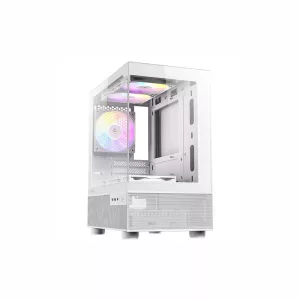
Antec CX200M Elite Micro-ATX | ITX RGB Mini-Tower Gaming Chassis - White
Out of Stock