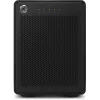
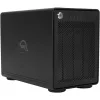
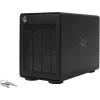
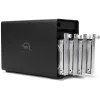
OWC 4 Bay Thunderbolt3 RAID5 0TB
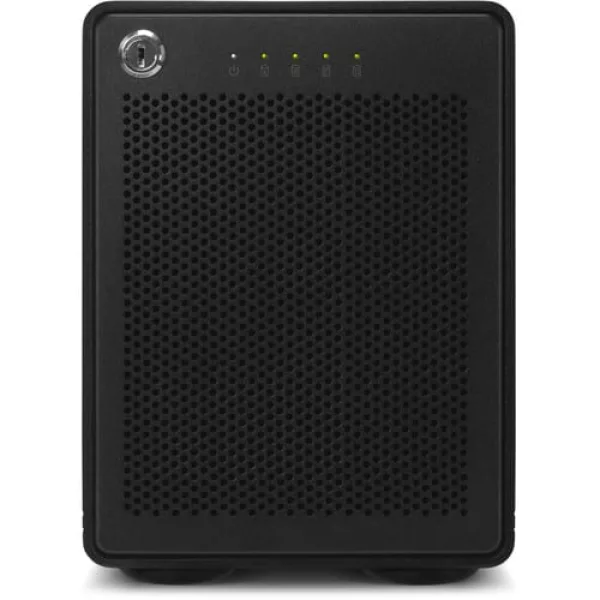
Add RAID 0 storage to your Mac or Windows computer with the ThunderBay 4 4-Bay Thunderbolt 3 RAID 0 Enclosure from OWC / Other World Computing. As you can guess from its name, the ThunderBay 4 features dual Thunderbolt 3 ports, which utilize the USB Type-C connector. There is also a DisplayPort 1.2...
Get Notified When Available
Enter your email and we'll notify you when this item is back in stock.
Add RAID 0 storage to your Mac or Windows computer with the ThunderBay 4 4-Bay Thunderbolt 3 RAID 0 Enclosure from OWC / Other World Computing. As you can guess from its name, the ThunderBay 4 features dual Thunderbolt 3 ports, which utilize the USB Type-C connector. There is also a DisplayPort 1.2 port for connecting to a 4K display. The ThunderBay 4 has four drive bays, which supports both 2.5" and 3.5" hard drives (2.5" HDDs do not need adapters). With the included SoftRAID software you can format the ThunderBay 4 to RAID 1. RAID 4, 5, and 1+0 are also supported with a RAID software of your choice.
Thunderbolt 3
Thunderbolt 3 is a hardware interface that utilizes the reversible USB Type-C connector. Doubling the speed of its predecessor, Thunderbolt 3 features a maximum throughput of 40 Gb/s when used with compatible devices. The connector also transmits data via USB 3.1 at up to 10 Gb/s, and dual-bandwidth DisplayPort 1.2 allows you to connect up to two 4K displays simultaneously. Additionally, you can daisy chain up to six devices from a single Thunderbolt 3 port.
RAID and JBOD Support
The ThunderBay 4 comes pre-configured in RAID 5, but also supports RAID 0, 1, 4, 5, and 1+0.
Time-Tested Cooling
Built on OWC's time-tested enclosure cooling technology, the Thunderbay 4 utilizes an open "flow-thru" vented design with an over-sized 92mm, low turbulence, noise-quieting fan to keep the drives running cool and reliably
Multi-Drive
Daisy-chain up to six ThunderBay 4s for more storage capabilities and increased performance, or connect multiple ThunderBay 4s to multiple Thunderbolt 3 ports to achieve higher speed capabilities.
Vibration Dampened
The ThunderBay 4's drive isolating design reduces sonic resonance adn is aided by over-sized, rugged, vibration-absorbing, non-skid feet.
DisplayPort 1.2 Support
Dual Thunderbolt ports let you connect the display of your choice that your computer can support, including 4K displays.
OWC Thunderbolt Cable
The ThunderBay 4 comes with a 6.6' (2m) certified OWC Thunderbolt 3 cable.
FEATURES
- 4 x 3.5" SATA III 6 Gb/s Drive Bays
- Thunderbolt 3 (USB Type-C) Interface
- Supports RAID 0, 1, 4, 5, and 1+0
- Pre-Configured in RAID 5
| Brand | OWC |
| Colour | - |
| Form Factor | 3.5" |
| Interface | - |
| Capacity | - |
| Memory Capacity | - |
| Screen Size | - |
| Resolution | - |
| Refresh Rate | - |
| Cpu | - |
| Cpu Socket | - |
| Warranty | 12 Months |
No reviews yet. Be the first to review this product!