


PORT2 x 4K USB-C desktop docking station 11 peripherals 96W
Dual 2x4K display output | 96W USB-C Power Delivery | 11 ports in one cable | Enterprise security features | 3-year warranty
Dual 2x4K display output | 96W USB-C Power Delivery | 11 ports in one cable | Enterprise security features | 3-year warranty
Quick Specs
- Command dual 4K displays at 60Hz simultaneously via 2x DisplayPort and 2x HDMI outputs — one cable, two stunning screens
- Charge your laptop and power connected devices with up to 96W USB-C Power Delivery, eliminating desktop cable clutter
- Connect up to 11 peripherals at once, including high-speed USB-A and USB-C ports transferring data at up to 10Gbps
- Secure your workstation with an integrated Kensington anti-theft slot and a reinforced screw-lock USB-C cable
- Simplify IT management with PXE Boot and Wake-on-LAN support, compatible with Windows, macOS, and ChromeOS
One Cable. Eleven Ports. Two 4K Screens.
The PORT Connect USB-C 2x4K Universal Docking Station is built for professionals who demand a structured, high-performance workstation without the tangle. Connect your USB-C laptop with a single cable and instantly gain access to dual 4K displays, wired Gigabit Ethernet, high-speed data ports, audio, and up to 96W of charging power — all centralised into one sleek, desktop-sized unit.
Dual 4K Clarity for Intensive Multitasking
Tired of squinting at a single screen while juggling spreadsheets, design files, or engineering schematics? This docking station supports up to two 4K displays at 60Hz simultaneously, with flexible output options — dual DisplayPort, dual HDMI, or one of each. Powered by DisplayLink technology, the connection is smooth and stable, making it equally at home in finance, design, and data-intensive environments.
Power Your Laptop and Every Peripheral at Once
USB-C Power Delivery at up to 96W means your laptop charges continuously while you work, with no separate power brick needed on your desk. The 11-port selection covers everything a demanding desk requires: three USB-A 3.1 Gen 2 ports at 10Gbps (including one BC 1.2 fast-charge), two USB-C 3.1 Gen 2 ports at 10Gbps (including one BC 1.2), two USB-A 3.1 Gen 1 ports at 5Gbps, a dedicated USB-C 3.1 Gen 2 PD 96W port to your notebook, Gigabit Ethernet for stable wired networking, and a 3.5mm combo audio jack for your headset.
Built for Enterprise Environments
Security and manageability are built in from the start. An integrated Kensington security slot keeps the dock anchored to your desk, while the reinforced screw-lock USB-C cable ensures the connection to your laptop stays firm. A dedicated ON/OFF power button and smart power management reduce energy draw when the station is idle, and an LED indicator confirms operating status at a glance. IT teams will appreciate native PXE Boot and Wake-on-LAN support for remote device management, and broad compatibility across Windows, macOS, and ChromeOS means it integrates cleanly into virtually any enterprise infrastructure.
Features
- Dual 4K display output at 60Hz — connect via 2x DisplayPort, 2x HDMI, or a combination of both
- Up to 96W USB-C Power Delivery charges your laptop while the dock is in use — no additional power adapter needed
- 11 ports total: 3x USB-A 3.1 Gen 2 (10Gbps, incl. 1x BC 1.2), 2x USB-A 3.1 Gen 1 (5Gbps), 2x USB-C 3.1 Gen 2 (10Gbps, incl. 1x BC 1.2), 1x USB-C 3.1 Gen 2 PD 96W to notebook, 1x Gigabit Ethernet (10/100/1000Mbps), 1x 3.5mm combo audio jack
- DisplayLink driver technology enables stable multi-monitor performance
- Integrated Kensington security slot and reinforced screw-lock USB-C cable for secure desktop attachment
- Smart power management with ON/OFF button and LED power indicator to reduce energy consumption
- PXE Boot and Wake-on-LAN support for remote IT management
- Compatible with Windows, macOS, and ChromeOS — connects via USB-C 3.1 Gen 2
Specifications
- Brand: PORT Connect
- EAN / Barcode: 3567042031586
- Colour: Black
- Warranty: 36 Months
- Product Weight: 1.1kg
- Product Dimensions (L x W x H): 20.3 x 9.5 x 3.4 cm
- Host Connector: USB Type-C
- Total Ports: 11
- Port Selection: 2x DisplayPort,2x HDMI,1x Gigabit Ethernet (RJ45),1x USB-C 3.1 Gen 2 PD 96W (to notebook),3x USB-A 3.1 Gen 2 10Gbps (incl. 1x BC 1.2),2x USB-A 3.1 Gen 1 5Gbps,2x USB-C 3.1 Gen 2 10Gbps (incl. 1x BC 1.2),1x 3.5mm Combo Jack
- Max Display Output: 2x 4K @60Hz
- Power Delivery to Host: 96w
- Ethernet Speed: Gigabit (10/100/1000Mbps)
What's in the Box
- PORT Connect USB-C Office Docking Station 2x4K - Black x1
- USB-C to USB-C Screw Cable (1m) x1
- 135W Power Adapter x1
- User Manual x1
Why PORT Connect
PORT Connect is a French professional docking and accessories brand dedicated to empowering modern workplaces with reliable, thoughtfully engineered solutions. Backed by a commitment to quality and a 3-year warranty, PORT Connect products are designed to perform in demanding professional environments — giving you the confidence to build a workstation that simply works.
| Brand | Port |
| Colour | Black |
| Form Factor | - |
| Interface | - |
| Capacity | - |
| Memory Capacity | - |
| Screen Size | - |
| Resolution | - |
| Refresh Rate | - |
| Cpu | - |
| Cpu Socket | - |
| Warranty | 36 Months |
No reviews yet. Be the first to review this product!
Related Products

Port Connect Multi-port USB Type-C 2x4K Office Docking Station
Save R 799.42
Only 5 left - order soon!
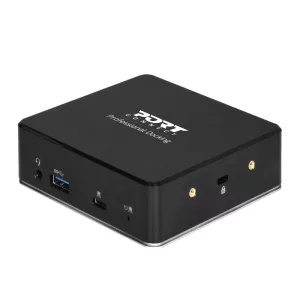
Port USB Type-C to 1 x RJ45|2 x USB3.1 Gen1|2 x HDMI|1 x Type-C|1 x USB3.1 Gen1 | Apple Charging 2.4A|1 x Aux Dock - Black
Save R 1 339.28
Only 2 left - order soon!
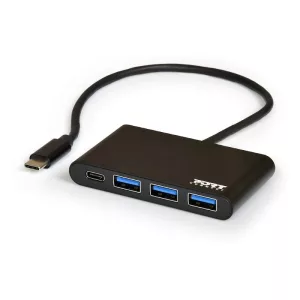
Port USB Type-C to 3 x USB3.0 and 1 x Type-C PD 30cm 4 Port Hub - Black
Save R 332.23
Out of Stock
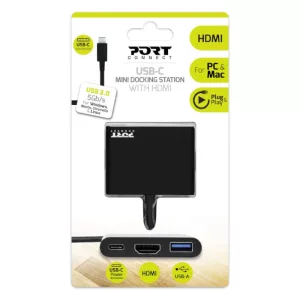
Port USB Type-C to 1 x HDMI|1 x USB3.0|1 x Type-C 60W PD Dock - Black
Save R 62.29
In Stock