Redragon BS-7094 Wireless Keyboard and Mouse Combo - Redragon | DirectTech
Secure SSL Payment
Free Shipping over R3,450
14-Day Returns
Expert Support
Redragon

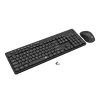
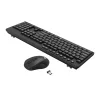
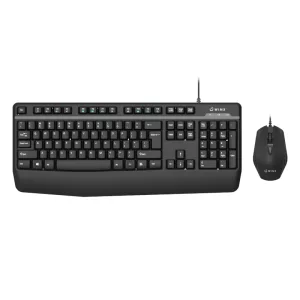
Redragon BS-7094 Wireless Keyboard and Mouse Combo

SKU: RD-BS-7094
R 179.00 R 229.00
You save R 50.00 (22%)
In Stock
You save R 50.00 (22% off)

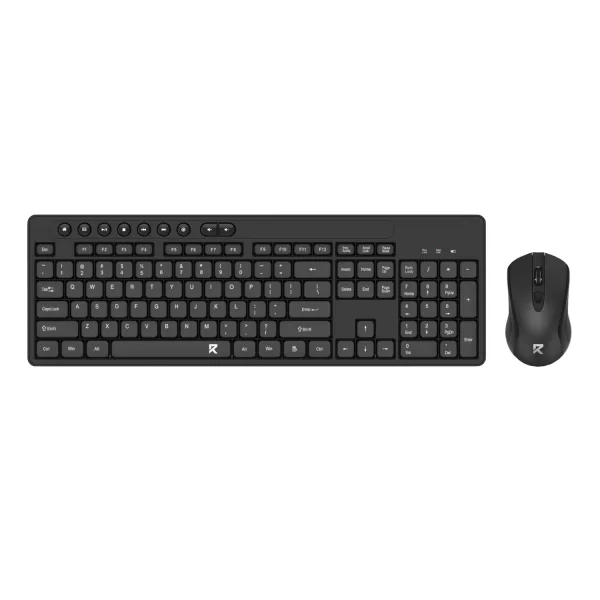
The Redragon BS-7094 Wireless Keyboard and Mouse Combo is designed for comfort, efficiency, and a seamless user experience. Featuring an ergonomic keyboard layout and low-profile silent chocolate keycaps, it delivers a quiet and comfortable typing experience, ideal for both work and home...

Free shipping over R 3 450.00
Secure checkout
14-day returns
Expert support

Frequently Bought Together

The Redragon BS-7094 Wireless Keyboard and Mouse Combo is designed for comfort, efficiency, and a seamless user experience. Featuring an ergonomic keyboard layout and low-profile silent chocolate keycaps, it delivers a quiet and comfortable typing experience, ideal for both work and home environments. Individual shortcut keys further enhance productivity by providing quick access to essential functions, allowing you to work more efficiently.

Paired with a high-precision wireless mouse, this combo ensures smooth and accurate navigation. The mouse offers five adjustable DPI settings (800/1200/1600/2400/4000), allowing you to customize sensitivity for different tasks, whether it's precise editing or fast-paced browsing. Its ergonomic design ensures a comfortable grip for extended use, reducing strain during long working hours.

With a reliable wireless connection via a plug-and-play USB dongle, the Redragon BS-7094 provides a clutter-free setup without the hassle of tangled cables. The excellent power management system ensures longer battery life, reducing the need for frequent replacements. Whether for professional use or everyday computing, this wireless keyboard and mouse combo offers both convenience and durability.

FEATURES:

  • Ergonomic design keyboard and mouse combo for long-lasting comfort
  • High-precision optical sensor
  • Adjustable DPI 800/1200/1600/2400/4000
  • 3 button mouse with scroll wheel
  • Wireless connection with plug and play USB dongle
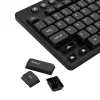
  • Low profile silent chocolate keycaps

SPECIFICATIONS:

  • Keyboard Layout: Full Sized
  • Colour: Black
  • Connection: Wireless
  • Product Dimensions Mouse: 11 x 6.3 x 3.9 cm
  • Product Weight Mouse: 60g±10g
  • Product Weight Keyboard: 44 x 14.5 x 3.1 cm
  • Product Weight Keyboard: 479g±20g

WHAT'S IN THE BOX:

  • Redragon BS-7094 Full-size Wireless Keyboard - Black x1
  • Redragon BS-7094 Wireless Mouse - Black x1
  • User Manual x1
Brand Redragon
Colour -
Form Factor -
Interface -
Capacity -
Memory Capacity -
Screen Size -
Resolution -
Refresh Rate -
Cpu -
Cpu Socket -
Warranty 18 Months
0.0
0 reviews
Login to Review

No reviews yet. Be the first to review this product!

Related Products
-24%
Redragon BS-7367-A Wireless Keyboard and Mouse Combo - Black
Redragon

Redragon BS-7367-A Wireless Keyboard and Mouse Combo - Black

R 189.00 R 249.00

Save R 60.00

In Stock

-21%
Redragon S107 RGB Gaming Essentials Wired Gaming Keyboard and Mouse Bundle
Redragon

Redragon S107 RGB Gaming Essentials Wired Gaming Keyboard and Mouse Bundle

R 299.00 R 379.00

Save R 80.00

In Stock

-24%
Redragon BS8772 Wireless Keyboard and Mouse Combo - Cream/Blue
Redragon

Redragon BS8772 Wireless Keyboard and Mouse Combo - Cream/Blue

R 379.00 R 499.00

Save R 120.00

Only 2 left - order soon!

-20%
Redragon BS8772 Wireless Keyboard and Mouse Combo - Grey/White
Redragon

Redragon BS8772 Wireless Keyboard and Mouse Combo - Grey/White

R 479.00 R 599.00

Save R 120.00

Out of Stock

// Share product with fallback // 2026-05-22: rewritten. Old version had three bugs: // 1) Copy Link button used `this.textContent='Copied!'` which destroyed the // icon (textContent replaces everything). After clicking, the link icon // disappeared. // 2) Inline onclick handlers had nested \x27-escaped strings interpolating // `url` directly — if the URL contained a single quote the JS broke. // 3) Close button used `this.closest('div[style]').parentElement.remove()` // — fragile, depends on no inline style elsewhere in the DOM tree. // New version: build with DOM nodes, attach proper event listeners, keep the // icon, gracefully handle clipboard failure, use a held reference to close. function shareProduct() { var title = document.querySelector('.product-title').textContent; var url = window.location.href; if (navigator.share) { navigator.share({ title: title, url: url }).catch(function() {}); return; } // Fallback: show share options modal var modal = document.createElement('div'); modal.style.cssText = 'position:fixed;top:0;left:0;right:0;bottom:0;background:rgba(0,0,0,0.6);z-index:9999;display:flex;align-items:center;justify-content:center;padding:1rem;'; var encoded = encodeURIComponent(url); var encodedTitle = encodeURIComponent(title); var content = document.createElement('div'); content.style.cssText = 'background:#fff;border-radius:12px;padding:24px;max-width:360px;width:100%;text-align:center;'; content.innerHTML = '

Share this product

' + '
' + ' Facebook' + ' WhatsApp' + ' Email' + '
' + '' + '
'; modal.appendChild(content); function closeModal() { if (modal.parentNode) modal.parentNode.removeChild(modal); } modal.addEventListener('click', function(e) { if (e.target === modal) closeModal(); }); content.querySelector('[data-action="close-modal"]').addEventListener('click', closeModal); var copyBtn = content.querySelector('[data-action="copy-link"]'); var copyLabel = copyBtn.querySelector('.btn-label'); copyBtn.addEventListener('click', function() { function flashLabel(text) { var prev = copyLabel.textContent; copyLabel.textContent = text; setTimeout(function() { copyLabel.textContent = prev; }, 1800); } if (navigator.clipboard && navigator.clipboard.writeText) { navigator.clipboard.writeText(url) .then(function() { flashLabel('Copied!'); }) .catch(function() { flashLabel('Press Ctrl+C'); }); } else { // Legacy browser fallback — execCommand still works on http: contexts var ta = document.createElement('textarea'); ta.value = url; ta.style.position = 'fixed'; ta.style.opacity = '0'; document.body.appendChild(ta); ta.select(); try { document.execCommand('copy'); flashLabel('Copied!'); } catch (e) { flashLabel('Press Ctrl+C'); } document.body.removeChild(ta); } }); document.body.appendChild(modal); }
Chat with us!