WINX DO ESSENTIAL Wired Mouse - WINX | DirectTech
Secure SSL Payment
Free Shipping over R3,450
14-Day Returns
Expert Support
WINX

WINX DO ESSENTIAL Wired Mouse

SKU: WX-KB106
R 89.00
In Stock

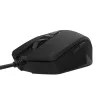
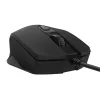
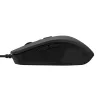
The WINX DO Essential Wired Mouse offers a slim and elegant wireless solution ideal for everyday use. This easy-to-use mouse features a sleek wired design that prioritizes comfort and versatility while being lightweight. Navigate with ease using the 6 buttons, including a scroll wheel and quickly...

Free shipping over R 3 450.00
Secure checkout
14-day returns
Expert support

Frequently Bought Together

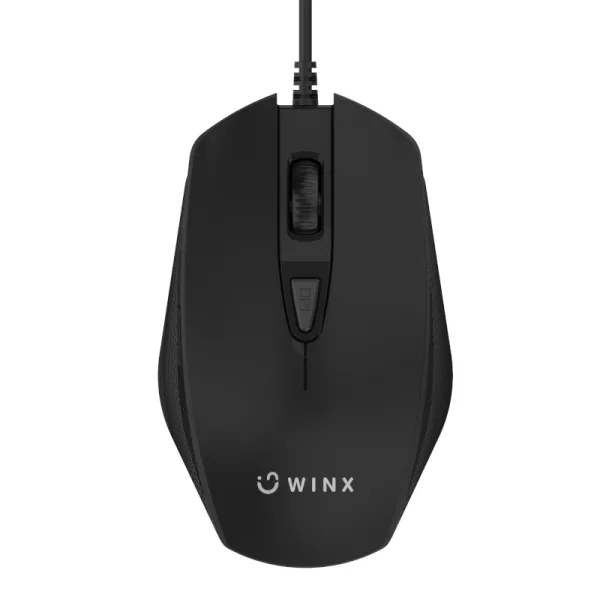
The WINX DO Essential Wired Mouse offers a slim and elegant wireless solution ideal for everyday use. This easy-to-use mouse features a sleek wired design that prioritizes comfort and versatility while being lightweight. Navigate with ease using the 6 buttons, including a scroll wheel and quickly change the mouse speed using the DPI button. The USB-wired connection provides a consistent and stable connection to your laptop or desktop PC. Compact, lightweight, and quiet - the WINX DO Essential Wired Mouse is ideal for the home or office.

FEATURES:

  • 6-button layout
  • 4 adjustable DPI levels for optimal precision
  • USB plug-and-play interface
  • Slim and lightweight
  • Ambidextrous design for both right-and left-handed users

SPECIFICATIONS:

  • Colour: Black
  • Connectivity: USB
  • Compatibility: Windows, Linux, MacOS
  • DPI: 1200/1800/2400/3600
  • Cable Length: 128 cm
  • Product Dimensions: 10.9 x 6.8 x 3.7 cm
  • Product Weight: 65g

WHAT'S IN THE BOX:

  • WINX DO Essential Wired Mouse - Black x1
  • User Manual x1
Brand WINX
Colour Black
Form Factor -
Interface -
Capacity -
Memory Capacity -
Screen Size -
Resolution -
Refresh Rate -
Cpu -
Cpu Socket -
Warranty 24 Months
0.0
0 reviews
Login to Review

No reviews yet. Be the first to review this product!

Related Products

// Share product with fallback // 2026-05-22: rewritten. Old version had three bugs: // 1) Copy Link button used `this.textContent='Copied!'` which destroyed the // icon (textContent replaces everything). After clicking, the link icon // disappeared. // 2) Inline onclick handlers had nested \x27-escaped strings interpolating // `url` directly — if the URL contained a single quote the JS broke. // 3) Close button used `this.closest('div[style]').parentElement.remove()` // — fragile, depends on no inline style elsewhere in the DOM tree. // New version: build with DOM nodes, attach proper event listeners, keep the // icon, gracefully handle clipboard failure, use a held reference to close. function shareProduct() { var title = document.querySelector('.product-title').textContent; var url = window.location.href; if (navigator.share) { navigator.share({ title: title, url: url }).catch(function() {}); return; } // Fallback: show share options modal var modal = document.createElement('div'); modal.style.cssText = 'position:fixed;top:0;left:0;right:0;bottom:0;background:rgba(0,0,0,0.6);z-index:9999;display:flex;align-items:center;justify-content:center;padding:1rem;'; var encoded = encodeURIComponent(url); var encodedTitle = encodeURIComponent(title); var content = document.createElement('div'); content.style.cssText = 'background:#fff;border-radius:12px;padding:24px;max-width:360px;width:100%;text-align:center;'; content.innerHTML = '

Share this product

' + '
' + ' Facebook' + ' WhatsApp' + ' Email' + '
' + '' + '
'; modal.appendChild(content); function closeModal() { if (modal.parentNode) modal.parentNode.removeChild(modal); } modal.addEventListener('click', function(e) { if (e.target === modal) closeModal(); }); content.querySelector('[data-action="close-modal"]').addEventListener('click', closeModal); var copyBtn = content.querySelector('[data-action="copy-link"]'); var copyLabel = copyBtn.querySelector('.btn-label'); copyBtn.addEventListener('click', function() { function flashLabel(text) { var prev = copyLabel.textContent; copyLabel.textContent = text; setTimeout(function() { copyLabel.textContent = prev; }, 1800); } if (navigator.clipboard && navigator.clipboard.writeText) { navigator.clipboard.writeText(url) .then(function() { flashLabel('Copied!'); }) .catch(function() { flashLabel('Press Ctrl+C'); }); } else { // Legacy browser fallback — execCommand still works on http: contexts var ta = document.createElement('textarea'); ta.value = url; ta.style.position = 'fixed'; ta.style.opacity = '0'; document.body.appendChild(ta); ta.select(); try { document.execCommand('copy'); flashLabel('Copied!'); } catch (e) { flashLabel('Press Ctrl+C'); } document.body.removeChild(ta); } }); document.body.appendChild(modal); }
Chat with us!