Xiaomi Mi Robot Vacuum Water Tank - Mop Pro - Xiaomi | DirectTech
Secure SSL Payment
Free Shipping over R3,450
14-Day Returns
Expert Support
Xiaomi

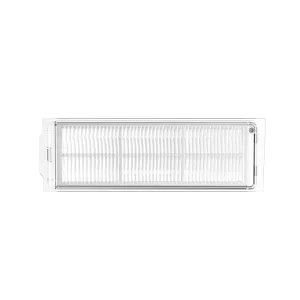
Xiaomi Mi Robot Vacuum Water Tank - Mop Pro

SKU: SKV4124TY
R 479.00
In Stock

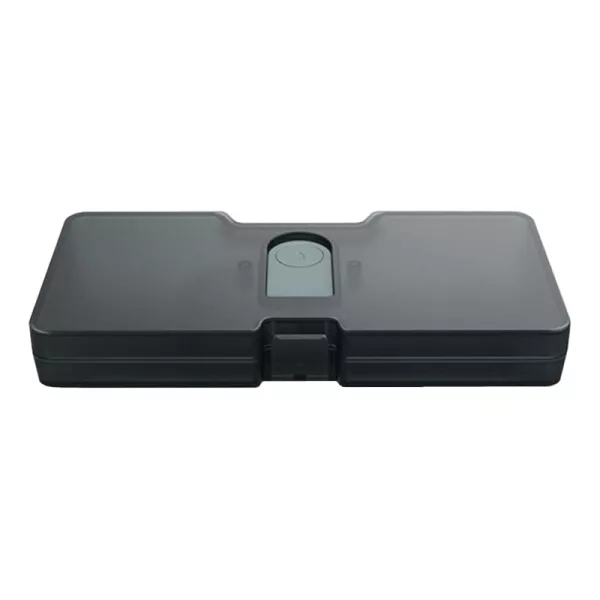
Extend the life of your Xiaomi Mi Robot Vacuum Mop Pro with the Xiaomi Mi Robot Vacuum Mop Pro Water Tank. It is a replacement water tank that has a 200ml capacit, is easy to install and is made from high-quality material.

Free shipping over R 3 450.00
Secure checkout
14-day returns
Expert support

Frequently Bought Together

The Xiaomi Mi Robot Vacuum Mop Pro Water Tank is perfect for replacing a damaged water tank for your Xiaomi Mi Robot Vacuum Mop Pro. It is made from high-quality material and comes with a 200ml capacity. The water tank is used for storing water for the mopping process on the Mi Vacuum Mop Pro. It uses water from the tank to go into the pad, which helps with the cleaning process.

FEATURES:

  • Replacement water tank
  • 200ml capacity
  • Easy to install
  • Designed for Xiaomi Robot Vacuum Mop Pro

SPECIFICATIONS:

  • Capacity: 200ml
  • Compatibility: Xiaomi Robot Vacuum Mop Pro – SKV4109GL, SKV4110GL

WHAT'S IN THE BOX:

  • Xiaomi Mi Robot Vacuum Water Tank - Mop Pro x1
Brand Xiaomi
Colour Transparent
Form Factor -
Interface -
Capacity -
Memory Capacity -
Screen Size -
Resolution -
Refresh Rate -
Cpu -
Cpu Socket -
Warranty 6 Months
0.0
0 reviews
Login to Review

No reviews yet. Be the first to review this product!

Related Products
// Share product with fallback // 2026-05-22: rewritten. Old version had three bugs: // 1) Copy Link button used `this.textContent='Copied!'` which destroyed the // icon (textContent replaces everything). After clicking, the link icon // disappeared. // 2) Inline onclick handlers had nested \x27-escaped strings interpolating // `url` directly — if the URL contained a single quote the JS broke. // 3) Close button used `this.closest('div[style]').parentElement.remove()` // — fragile, depends on no inline style elsewhere in the DOM tree. // New version: build with DOM nodes, attach proper event listeners, keep the // icon, gracefully handle clipboard failure, use a held reference to close. function shareProduct() { var title = document.querySelector('.product-title').textContent; var url = window.location.href; if (navigator.share) { navigator.share({ title: title, url: url }).catch(function() {}); return; } // Fallback: show share options modal var modal = document.createElement('div'); modal.style.cssText = 'position:fixed;top:0;left:0;right:0;bottom:0;background:rgba(0,0,0,0.6);z-index:9999;display:flex;align-items:center;justify-content:center;padding:1rem;'; var encoded = encodeURIComponent(url); var encodedTitle = encodeURIComponent(title); var content = document.createElement('div'); content.style.cssText = 'background:#fff;border-radius:12px;padding:24px;max-width:360px;width:100%;text-align:center;'; content.innerHTML = '

Share this product

' + '
' + ' Facebook' + ' WhatsApp' + ' Email' + '
' + '' + '
'; modal.appendChild(content); function closeModal() { if (modal.parentNode) modal.parentNode.removeChild(modal); } modal.addEventListener('click', function(e) { if (e.target === modal) closeModal(); }); content.querySelector('[data-action="close-modal"]').addEventListener('click', closeModal); var copyBtn = content.querySelector('[data-action="copy-link"]'); var copyLabel = copyBtn.querySelector('.btn-label'); copyBtn.addEventListener('click', function() { function flashLabel(text) { var prev = copyLabel.textContent; copyLabel.textContent = text; setTimeout(function() { copyLabel.textContent = prev; }, 1800); } if (navigator.clipboard && navigator.clipboard.writeText) { navigator.clipboard.writeText(url) .then(function() { flashLabel('Copied!'); }) .catch(function() { flashLabel('Press Ctrl+C'); }); } else { // Legacy browser fallback — execCommand still works on http: contexts var ta = document.createElement('textarea'); ta.value = url; ta.style.position = 'fixed'; ta.style.opacity = '0'; document.body.appendChild(ta); ta.select(); try { document.execCommand('copy'); flashLabel('Copied!'); } catch (e) { flashLabel('Press Ctrl+C'); } document.body.removeChild(ta); } }); document.body.appendChild(modal); }
Chat with us!