If you own a PC in South Africa and do not have a UPS, it is not a question of whether power-related damage will happen, but when. Between load shedding transitions, municipal switching events, lightning strikes, and general grid instability, South African power infrastructure puts your expensive electronics at constant risk.
A UPS (Uninterruptible Power Supply) is the single most important accessory for any PC owner in this country. It costs a fraction of replacing a fried motherboard, corrupted hard drive, or destroyed power supply, and it pays for itself the first time it saves your system from a power event.
What Exactly Does a UPS Do?
A UPS performs three critical functions:
1. Battery Backup
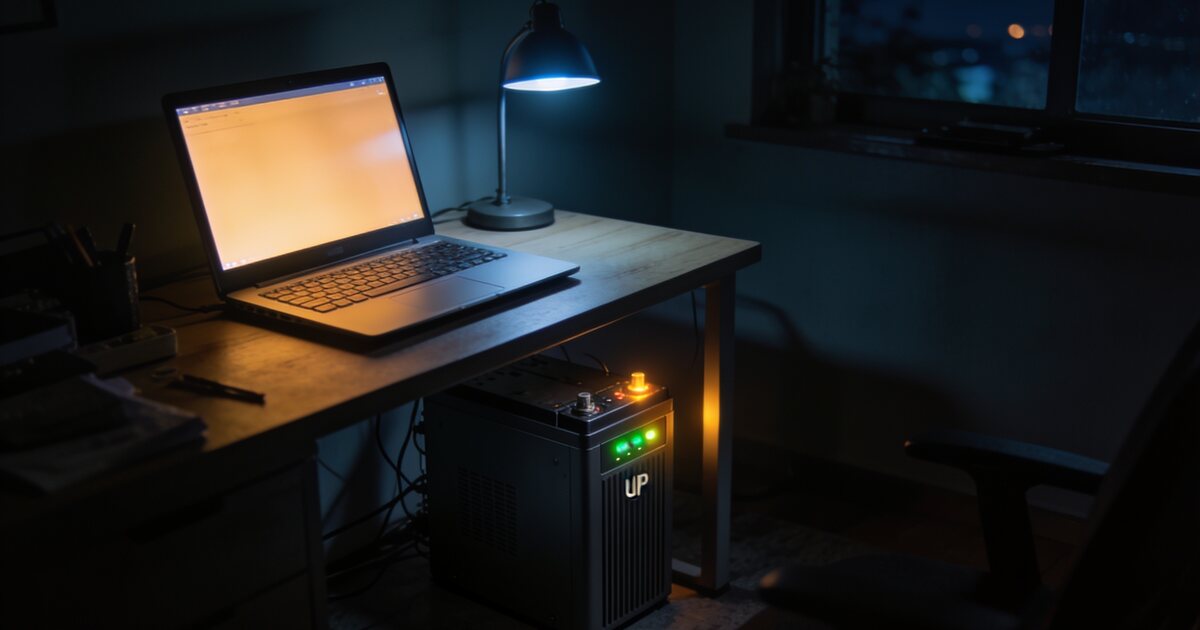
When power drops, the UPS instantly switches to its internal battery, keeping your PC running without interruption. This gives you time to save your work and shut down gracefully instead of losing everything to an abrupt power cut.
The keyword here is "instantly." A good UPS switches to battery power in under 10 milliseconds, which is too fast for your PC's power supply to even notice the interruption. Your computer continues running as if nothing happened.
2. Surge Protection
When power returns after an outage (or during lightning events), the voltage spike can be devastating. A UPS absorbs these surges before they reach your equipment. This is measured in joules, with higher ratings indicating better protection against larger surges.
3. Power Conditioning
Even when the power is technically "on," South African grid power is often dirty. Voltage fluctuations, frequency variations, and electrical noise can gradually damage sensitive electronic components. A line-interactive or online UPS cleans up these irregularities, delivering stable, consistent power to your equipment.
Types of UPS Systems
Understanding the three main UPS types helps you choose the right one for your needs and budget:
Standby (Offline) UPS
- How it works: Monitors the power line and switches to battery only when it detects a problem. There is a brief switchover time (5-12 milliseconds).
- Pros: Most affordable, energy efficient, compact.
- Cons: Slowest switchover time, no power conditioning (passes through whatever comes from the wall during normal operation).
- Best for: Basic home PCs, monitors, and routers where budget is the primary concern.
- SA price range: R800 - R2,500
Line-Interactive UPS
- How it works: Has an autotransformer that continuously regulates voltage without switching to battery. Only uses battery for complete power loss. Switchover time is 2-5 milliseconds.
- Pros: Good power conditioning, faster switchover, handles voltage fluctuations without draining the battery.
- Cons: More expensive than standby, slightly larger.
- Best for: Most home and office PCs, gaming systems, and home offices. This is the recommended type for most South African PC users.
- SA price range: R1,500 - R5,000
Online (Double-Conversion) UPS
- How it works: Continuously converts AC power to DC (charging the battery) and then back to AC (powering your equipment). Your devices always run from the inverter, never directly from the wall.
- Pros: Zero switchover time, perfect power output regardless of input quality, maximum protection.
- Cons: Most expensive, less energy efficient (runs the inverter constantly), generates more heat.
- Best for: Servers, high-end workstations, medical equipment, and situations where absolutely zero interruption is acceptable.
- SA price range: R4,000 - R15,000+
For most South African home PC users, a line-interactive UPS is the sweet spot. It provides genuine power conditioning (essential for our grid) with fast switchover and reasonable pricing.
How to Calculate the Right UPS Size
UPS capacity is measured in two ways: VA (Volt-Amperes) and Watts. The relationship between them depends on the power factor, but for planning purposes, Watts is typically 60-70% of the VA rating.
Step 1: Add Up Your Power Draw
List every device you want to protect and find its maximum power consumption:
- Gaming PC (mid-range): 300-500W under load
- Gaming PC (high-end): 500-750W under load
- Office PC: 150-250W under load
- 24-inch monitor: 25-40W
- 27-inch monitor: 35-60W
- 32-inch monitor: 45-80W
- Router/ONT: 15-30W
- External speakers: 10-30W
- Desk lamp: 5-15W (LED)
Add up the wattage for all devices you want on UPS power. This is your total load.
Step 2: Apply the 60% Rule
For optimal UPS performance and battery life, your total load should not exceed 60% of the UPS's rated watt capacity. Running at higher loads reduces battery backup time dramatically and shortens the UPS battery's lifespan.
Example calculation:
- Mid-range gaming PC: 400W
- 27-inch monitor: 45W
- Router: 20W
- Total load: 465W
- UPS needed: 465W / 0.6 = 775W minimum
- At 0.6 power factor: 775W / 0.6 = ~1,300VA
- Recommended UPS: 1,500VA / 900W
Step 3: Consider Battery Runtime
A larger UPS does not just handle more load; it also provides longer runtime on battery. Here are approximate runtimes for a typical mid-range gaming PC setup (450W total load):
- 850VA / 510W UPS: 2-4 minutes (enough to save and shut down)
- 1,200VA / 720W UPS: 5-10 minutes (comfortable shutdown with buffer)
- 1,500VA / 900W UPS: 10-15 minutes (can ride out short interruptions)
- 2,200VA / 1,320W UPS: 20-30 minutes (work through brief load shedding stages)
For most users, 5-10 minutes of runtime is sufficient. This gives you time to save your work, close applications properly, and perform a clean shutdown. If you want to actually continue working through short outages, size up accordingly.
Key Specifications to Compare
Joule Rating
This measures the UPS's surge protection capacity. Higher joule ratings absorb larger surges. For South African conditions:
- Below 500 joules: Basic protection, better than nothing but not ideal
- 500-1,000 joules: Adequate for most home use
- 1,000-2,000 joules: Good protection for valuable equipment
- 2,000+ joules: Excellent protection, recommended for gaming PCs and workstations
Transfer Time
The time it takes to switch from mains power to battery. Under 10 milliseconds is fine for all computing equipment. Under 5 milliseconds is ideal. Modern PCs have capacitors in their power supplies that bridge gaps of up to 16 milliseconds without any issues.
Output Waveform
This matters more than many people realise:
- Pure sine wave: Produces clean power identical to what a good wall outlet provides. Works with all equipment. Required for PCs with Active PFC power supplies (most modern PSUs). Costs more.
- Simulated (stepped/modified) sine wave: An approximation of a sine wave. Cheaper, but can cause issues with Active PFC power supplies, including buzzing, overheating, and in some cases, the PC shutting down when running on battery.
For PC users, always choose a pure sine wave UPS. Most quality gaming and office PSUs use Active PFC, which requires pure sine wave input. A simulated sine wave UPS might save you R500 upfront but could fail to keep your PC running when you need it most.
Number and Type of Outlets
Check that the UPS has enough battery-backed outlets for your essential devices. Most UPS units also include surge-only outlets (no battery backup) for less critical devices like printers and desk lamps.
USB Connectivity
A USB connection between the UPS and your PC enables automatic shutdown software. When the power goes out, the UPS communicates with your PC and triggers a clean shutdown before the battery runs empty. This is especially valuable if you are not at your desk when load shedding hits.
Load Shedding Reality Check
Let us be realistic about what a UPS can and cannot do during South African load shedding:
What a UPS Can Do
- Keep your PC running for 5-30 minutes during an outage (depending on size and load)
- Protect against the power surge when electricity returns
- Allow graceful shutdown of your system, saving all work
- Keep your router running so internet stays active on battery-powered devices
- Prevent file corruption from sudden power loss
- Protect against the voltage fluctuations that precede and follow load shedding
What a UPS Cannot Do
- Run your PC through an entire 2-4 hour load shedding stage (unless you spend R10,000+ on a very large UPS and have a modest PC)
- Replace an inverter or solar system for extended power independence
- Protect against a direct lightning strike (nothing short of a whole-house lightning arrestor handles that)
A UPS is your first line of defence, not a complete power solution. For extended outages, you need an inverter with lithium batteries or a solar installation. But even homes with solar or inverter systems benefit from a UPS for its instant switchover and surge protection capabilities.
Best Practices for UPS Ownership
Placement
- Keep the UPS on a hard floor, not on carpet (which blocks ventilation)
- Allow at least 10cm of clearance around all sides for airflow
- Keep away from direct sunlight and heat sources
- Keep in a dry location because moisture damages the internal battery
Battery Maintenance
- Replace batteries every 2-3 years, even if the UPS seems to work fine. Lead-acid batteries degrade over time and may fail precisely when you need them. Most UPS units use standard replacement batteries that cost R300-R800.
- Run a self-test monthly. Most UPS units have a test button. Press it to verify the battery is still holding a charge.
- Do not store a UPS without power. Lead-acid batteries self-discharge and can be permanently damaged if left uncharged for months.
Do Not Overload
- Never plug high-draw devices like laser printers, heaters, or kettles into a UPS
- Keep your total load under 60% of the rated capacity for optimal performance
- If the UPS beeps continuously, you have overloaded it. Remove non-essential devices immediately.
Recommended UPS Sizes for Common Setups
Basic Office PC + Monitor
Total draw: ~200W. Recommended: 850VA line-interactive (R1,000 - R1,800). Provides 15-25 minutes of runtime.
Mid-Range Gaming PC + Monitor
Total draw: ~450W. Recommended: 1,500VA line-interactive, pure sine wave (R2,500 - R4,000). Provides 10-15 minutes of runtime.
High-End Gaming PC + Monitor
Total draw: ~650W. Recommended: 2,200VA line-interactive, pure sine wave (R3,500 - R6,000). Provides 8-12 minutes of runtime.
Router + ONT Only (Internet During Load Shedding)
Total draw: ~25W. Recommended: Mini UPS / DC UPS (R500 - R1,500). Provides 2-6 hours of runtime. These small units are purpose-built for routers and are incredibly popular in South Africa for obvious reasons.
What About Surge Protectors Without Battery?
A surge-protected power strip (R200-R500) is better than plugging directly into the wall, but it has significant limitations compared to a UPS:
- No battery backup, so your PC still dies instantly during power cuts
- No power conditioning, so voltage fluctuations still reach your equipment
- Surge protection degrades after absorbing surges, and there is no way to know when it has expired without an indicator light (many cheap strips do not have one)
- Cannot trigger automatic shutdowns
A surge protector is a minimum, but a UPS is the proper solution. Think of it this way: a surge protector is a seatbelt. A UPS is a seatbelt, airbag, and crumple zone combined.
Protect Your Investment
Your PC represents a significant investment, whether it is an R8,000 budget build or a R50,000 enthusiast system. A UPS costing 10-15% of your PC's value protects the entire system from South Africa's unpredictable power grid. It is the most sensible money you can spend on your setup.
Browse our range of UPS systems, surge protectors, and power protection solutions at DirectTech. We stock trusted brands in every size from mini router UPS units to heavy-duty systems for gaming rigs. Not sure which size you need? Contact our team and we will help you calculate the right UPS for your specific setup.