The storage drive in your computer affects every single thing you do, from how fast your machine boots up to how quickly your games load and how responsive your applications feel. In 2026, you have three main options: NVMe SSDs, SATA SSDs, and traditional hard disk drives (HDDs). Each has its place, and choosing wrong means either wasting money or suffering with slow performance.
This guide cuts through the marketing jargon and gives you practical advice on which storage type to buy for your specific needs, with real South African pricing so you can make informed decisions.
The Three Types of Storage Explained
NVMe SSD: The Speed Champion
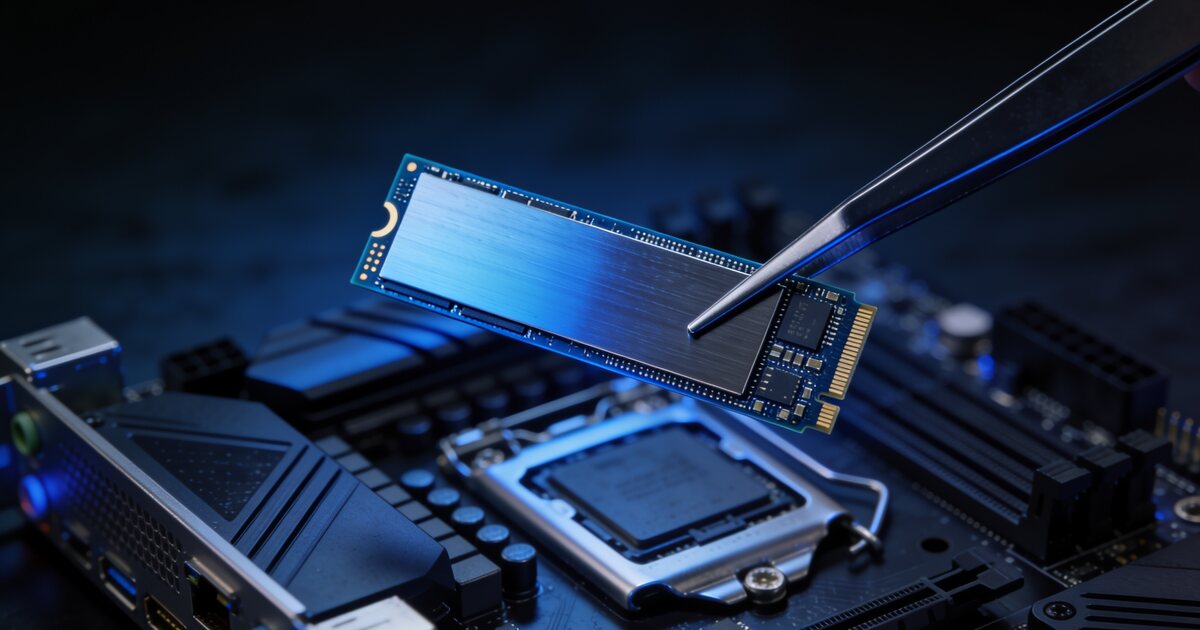
NVMe (Non-Volatile Memory Express) SSDs connect directly to your motherboard via an M.2 slot and communicate through the PCIe bus. This direct connection eliminates the bottleneck of older interfaces, delivering extraordinary speeds.
- Sequential read speed: 3,500 - 7,000 MB/s (Gen4) or up to 12,000 MB/s (Gen5)
- Sequential write speed: 3,000 - 6,500 MB/s (Gen4)
- Random read IOPS: 500,000 - 1,000,000+
- Form factor: M.2 2280 (small stick that plugs into the motherboard)
- SA price per TB (2026): R800 - R1,800 depending on brand and generation
NVMe SSDs are the fastest consumer storage available. Windows boots in under ten seconds, games load in a fraction of the time compared to a hard drive, and file transfers between drives happen at speeds that were unimaginable a few years ago.
SATA SSD: The Reliable Middle Ground
SATA SSDs use the same flash memory technology as NVMe drives but connect through the older SATA interface, which limits their maximum speed. They come in the familiar 2.5-inch laptop drive format or as M.2 modules.
- Sequential read speed: 500 - 560 MB/s (SATA III ceiling)
- Sequential write speed: 450 - 530 MB/s
- Random read IOPS: 90,000 - 100,000
- Form factor: 2.5-inch or M.2 2280
- SA price per TB (2026): R600 - R1,200
While significantly slower than NVMe drives on paper, SATA SSDs still feel incredibly fast in daily use. The jump from an HDD to a SATA SSD is transformative, while the jump from a SATA SSD to NVMe is noticeable but less dramatic for most tasks.
HDD: The Capacity King
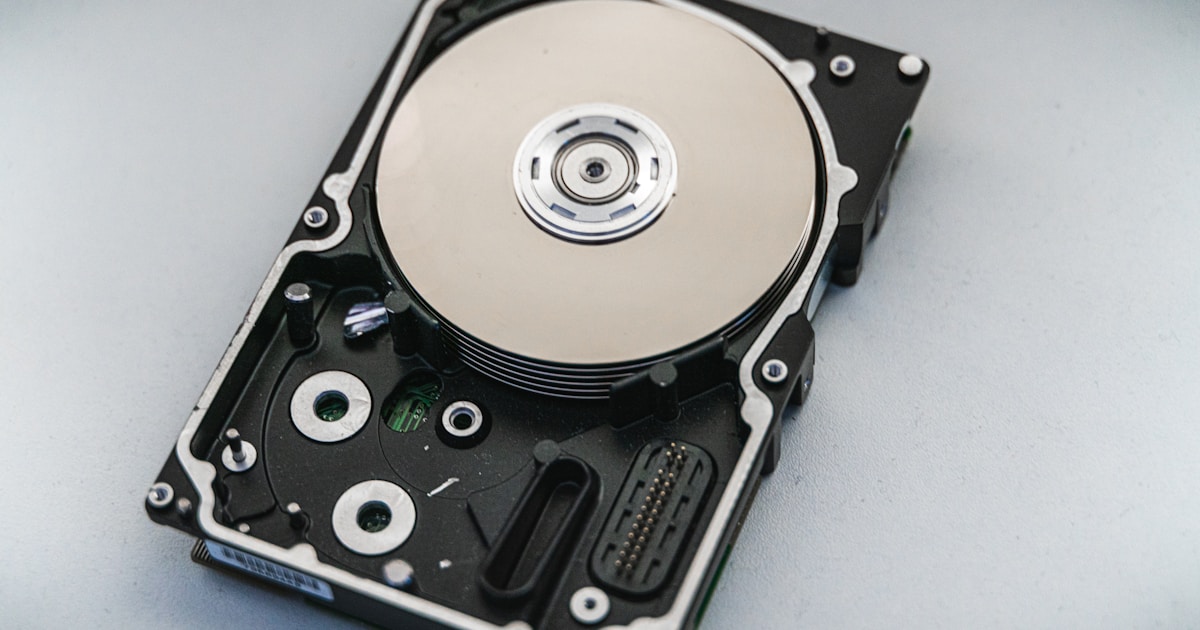
Traditional hard disk drives use spinning magnetic platters and a mechanical read/write head. This century-old technology cannot compete with solid-state storage on speed, but it still offers the best price per gigabyte for bulk storage.
- Sequential read speed: 80 - 200 MB/s
- Sequential write speed: 80 - 180 MB/s
- Random read IOPS: 75 - 150 (yes, that low)
- Form factor: 3.5-inch (desktop) or 2.5-inch (laptop)
- SA price per TB (2026): R300 - R600
HDDs are 10-50 times slower than SSDs in real-world operations. The difference is not subtle. A PC running from an HDD feels sluggish in 2026, with noticeable delays when opening applications, switching between programs, and loading files.
Real-World Performance Comparison
Benchmark numbers only tell part of the story. Here is how the three storage types compare in everyday tasks that South African PC users care about:
Windows Boot Time
- NVMe SSD: 8-12 seconds
- SATA SSD: 15-20 seconds
- HDD: 45-90 seconds
Game Load Time (Large Open-World Title)
- NVMe SSD: 5-15 seconds
- SATA SSD: 15-30 seconds
- HDD: 60-120+ seconds
Copying a 50 GB File
- NVMe to NVMe: 15-30 seconds
- SATA SSD: 90-100 seconds
- HDD: 5-8 minutes
Opening a Large Application (Photoshop, Visual Studio)
- NVMe SSD: 2-5 seconds
- SATA SSD: 5-10 seconds
- HDD: 20-45 seconds
The difference between NVMe and SATA in daily use is modest for most people. The difference between any SSD and an HDD is enormous and immediately noticeable.
Price Per Gigabyte in South Africa (2026)
Let us look at real pricing from the South African market to understand the cost implications of each storage type:
NVMe SSD Pricing
- 500 GB: R500 - R900 (R1.00 - R1.80 per GB)
- 1 TB: R800 - R1,800 (R0.80 - R1.80 per GB)
- 2 TB: R1,500 - R3,500 (R0.75 - R1.75 per GB)
- 4 TB: R4,000 - R7,000 (R1.00 - R1.75 per GB)
SATA SSD Pricing
- 500 GB: R400 - R700 (R0.80 - R1.40 per GB)
- 1 TB: R600 - R1,200 (R0.60 - R1.20 per GB)
- 2 TB: R1,200 - R2,500 (R0.60 - R1.25 per GB)
- 4 TB: R3,000 - R5,500 (R0.75 - R1.38 per GB)
HDD Pricing
- 1 TB: R500 - R800 (R0.50 - R0.80 per GB)
- 2 TB: R700 - R1,200 (R0.35 - R0.60 per GB)
- 4 TB: R1,200 - R2,000 (R0.30 - R0.50 per GB)
- 8 TB: R2,500 - R4,000 (R0.31 - R0.50 per GB)
The sweet spot for NVMe storage is the 1 TB capacity. At this size, you get the best price-per-gigabyte ratio while having enough space for Windows, your applications, and several large games. Browse our storage options at DirectTech for current pricing.
When to Choose Each Type
Choose NVMe SSD When:
- It is your primary boot drive (always use NVMe for your operating system)
- You play modern games with large open worlds and frequent loading
- You work with video editing, 3D rendering, or large datasets
- You want the snappiest possible general computing experience
- Your motherboard has an available M.2 slot (most modern boards have at least two)
Choose SATA SSD When:
- You are upgrading an older system that does not have an M.2 slot
- You need a secondary drive for games and applications at a lower price than NVMe
- Budget is tight but you refuse to go back to an HDD (and you should refuse)
- You are upgrading a laptop that only has a 2.5-inch drive bay
Choose HDD When:
- You need massive storage for media (photos, videos, music collections)
- You are building a NAS or home server for backups
- You need a secondary drive purely for storing files you access infrequently
- Budget is extremely tight and you need maximum gigabytes per rand
Do NOT Use an HDD For:
- Your operating system drive (the single biggest speed improvement you can make is moving Windows to an SSD)
- Games you play regularly (loading times will be painful)
- Your daily working applications
- Any portable or laptop use (HDDs are fragile and hate being moved while running)
The Best Storage Strategy for 2026
For most South African PC users, the ideal storage configuration is a two-drive setup:
- Primary drive: 1 TB NVMe SSD for Windows, applications, and your most-played games (R800 - R1,200)
- Secondary drive: 2-4 TB HDD for photos, videos, music, documents, and games you play occasionally (R700 - R2,000)
This combination gives you the speed of SSD where it matters most and the capacity of HDD where speed is less important, all for a total storage cost of R1,500 - R3,200.
If your budget allows, replace the secondary HDD with a 2 TB SATA SSD for a completely silent system with fast access to everything. The price premium over an HDD is shrinking every year.
Gen4 vs Gen5 NVMe: Is Gen5 Worth It?
PCIe Gen5 NVMe SSDs are now available in South Africa, offering peak sequential speeds of 10,000-12,000 MB/s. That sounds incredible, and it is, but there is a catch.
For most users, Gen5 drives offer minimal real-world benefit over Gen4. The difference between 5,000 MB/s and 10,000 MB/s is imperceptible when loading games, opening applications, or booting Windows because these tasks are limited by other factors like latency and random read performance, not sequential throughput.
Gen5 makes sense for professional content creators who regularly move massive files (4K/8K video editors, 3D artists working with huge scene files) or users who simply want the fastest hardware available. For everyone else, a Gen4 NVMe drive delivers essentially identical daily performance at a significantly lower price.
Important Tips for South African Buyers
Load Shedding and SSDs
SSDs are more resilient to power interruptions than HDDs because they have no moving parts that can be damaged by sudden power loss. However, sudden power cuts can still corrupt data if a write operation is in progress. Always use a UPS with your PC, and enable your SSD's power-loss protection feature if available (look for "PLP" in the drive specifications).
Warranty Matters
SSDs have a limited lifespan measured in TBW (Terabytes Written). Budget drives typically offer 150-300 TBW for a 1 TB model, while premium drives offer 600-1,200 TBW. For normal consumer use, even a budget drive's TBW rating far exceeds what you will write in a five-year warranty period. Check the warranty length, as five years is the standard for quality NVMe drives.
Do Not Defragment SSDs
If you are coming from an HDD background, you might be used to defragmenting your drive. Never defragment an SSD. It provides no benefit (SSDs have no mechanical head that needs sequential data placement) and actively wears out the drive by writing unnecessary data. Windows automatically handles SSD maintenance through TRIM commands.
Upgrade Your Storage Today
If your PC still runs from a hard drive, upgrading to an SSD is the single most impactful upgrade you can make. The difference in responsiveness is immediate and dramatic. It feels like getting a completely new computer.
Browse our full range of SSDs, hard drives, and storage solutions at DirectTech. Whether you need a blazing-fast NVMe drive for gaming or a high-capacity HDD for your media library, we have options at every price point. Need help choosing? Contact our team for personalised storage advice.