Wi-Fi 7 routers are now widely available in South Africa, promising faster speeds, lower latency, and better handling of multiple devices. But with prices significantly higher than Wi-Fi 6 models, and most South African internet connections topping out at 100-200 Mbps fibre, does it actually make sense to upgrade?
This guide breaks down the real differences between Wi-Fi 6 and Wi-Fi 7, cuts through the marketing hype, and helps you decide whether your money is better spent on a new router or somewhere else in your setup.
Understanding Wi-Fi Standards
Before diving into the comparison, let us quickly clarify the naming. The Wi-Fi Alliance simplified the confusing 802.11 naming scheme into version numbers:
- Wi-Fi 5: 802.11ac (2014) - Still common in older devices
- Wi-Fi 6: 802.11ax (2020) - The current mainstream standard
- Wi-Fi 6E: 802.11ax extended (2021) - Wi-Fi 6 with an additional 6 GHz band
- Wi-Fi 7: 802.11be (2024) - The latest generation
Each generation improves on the last in terms of maximum speed, latency, device handling, and efficiency. But maximum theoretical speeds and real-world performance are very different things, especially in a South African context.
Wi-Fi 6: What It Offers
Wi-Fi 6 was a significant leap forward from Wi-Fi 5, introducing several technologies that improved everyday wireless networking:
Key Features
- Maximum theoretical speed: 9.6 Gbps (combined across all bands and streams)
- Real-world single-device speed: 800 - 1,200 Mbps in ideal conditions
- OFDMA (Orthogonal Frequency-Division Multiple Access): Allows the router to communicate with multiple devices simultaneously rather than taking turns, reducing wait times for each device.
- MU-MIMO (Multi-User, Multiple Input, Multiple Output): Up to 8 simultaneous streams, meaning more devices can receive data at the same time.
- Target Wake Time (TWT): Lets devices schedule when they wake up to send/receive data, significantly improving battery life on laptops, phones, and IoT devices.
- BSS Colouring: Reduces interference from neighbouring Wi-Fi networks, which is especially useful in apartment buildings and complexes.
- 1024-QAM: More data packed into each transmission, improving throughput.
Wi-Fi 6 Router Pricing in South Africa
- Budget: R800 - R1,500 (basic dual-band)
- Mid-range: R1,500 - R3,500 (tri-band, better range)
- High-end: R3,500 - R6,000 (mesh systems, enterprise features)
Wi-Fi 7: The New Standard
Wi-Fi 7 builds on Wi-Fi 6E's foundation and adds several groundbreaking technologies:
Key Features
- Maximum theoretical speed: 46 Gbps (combined, about 4.8x faster than Wi-Fi 6)
- Real-world single-device speed: 2,000 - 5,000 Mbps in ideal conditions
- 320 MHz channels: Doubles the maximum channel width from 160 MHz (Wi-Fi 6E) to 320 MHz, allowing more data per transmission.
- 4096-QAM: Four times the data density of Wi-Fi 6's 1024-QAM, squeezing more bits into each signal.
- MLO (Multi-Link Operation): The headline feature. Devices can use multiple bands (2.4 GHz + 5 GHz + 6 GHz) simultaneously rather than connecting to just one. This provides both faster speeds and dramatically lower latency.
- Preamble Puncturing: Allows the router to use a wide channel even if part of it overlaps with interference, rather than falling back to a narrower channel.
- 16 MU-MIMO streams: Double the simultaneous streams of Wi-Fi 6.
Wi-Fi 7 Router Pricing in South Africa
- Entry-level: R3,000 - R5,000
- Mid-range: R5,000 - R10,000
- High-end: R10,000 - R20,000+ (mesh systems, professional grade)
Head-to-Head Comparison
Speed
On paper, Wi-Fi 7 is roughly five times faster than Wi-Fi 6. In reality, the speed difference for most South African users will be minimal, and here is why:
Your wireless speed is limited by the slowest link in the chain. If your Openserve, Vumatel, or Evotel fibre connection delivers 100 Mbps (one of the most common packages in SA), then even a basic Wi-Fi 6 router delivers that full speed with headroom to spare. You cannot browse the internet faster than your fibre connection allows, no matter how fast your Wi-Fi is.
Where Wi-Fi 7's speed advantage does matter is for local network transfers: moving files between PCs, streaming 4K content from a NAS, or backing up to a network drive. If you regularly move large files across your home network, the speed difference is genuine and significant.
Latency
This is where Wi-Fi 7 delivers a more tangible everyday benefit. Multi-Link Operation (MLO) allows traffic to be split across multiple bands simultaneously, reducing the time each packet waits for its turn. In practice, this means:
- Wi-Fi 6 typical latency: 5-15 ms
- Wi-Fi 7 with MLO: 1-5 ms
For online gaming, video calls, and real-time applications, lower latency means a more responsive experience. Competitive gamers especially benefit from the reduced jitter and more consistent connection that MLO provides.
However, it is worth noting that for most gaming in South Africa, your latency to game servers (even local Johannesburg servers at 5-30 ms on fibre) dwarfs the difference between Wi-Fi 6 and Wi-Fi 7 local latency. If ping is critical, an ethernet cable still beats any wireless standard.
Range
Both standards offer similar range because range is primarily determined by transmit power (regulated by law) and antenna design, not the Wi-Fi generation. However, Wi-Fi 7 routers tend to come with better antennas and more advanced beamforming as they target the premium market.
The 2.4 GHz band still provides the best range in both standards. The 5 GHz band offers a good balance of speed and range. The 6 GHz band (available on Wi-Fi 6E and Wi-Fi 7) provides the highest speeds but shorter range because higher frequencies are absorbed more easily by walls and obstacles.
For South African homes, particularly those with thick brick walls common in many housing developments, range is often more important than raw speed. A good Wi-Fi 6 mesh system that covers every room reliably will provide a better experience than a single high-end Wi-Fi 7 router that cannot reach the back bedroom.
Device Handling
The average South African household now has 15-25 connected devices: phones, laptops, tablets, smart TVs, gaming consoles, smart plugs, security cameras, and more. Wi-Fi 7's improvements in OFDMA, MU-MIMO, and MLO make it significantly better at handling many devices without performance degradation.
Wi-Fi 6 handles this well for most households. Wi-Fi 7 becomes genuinely beneficial in homes with 30+ devices or where multiple people are simultaneously doing bandwidth-intensive activities like 4K streaming, video calls, and gaming.
The South African Context
Internet Speeds in SA
According to Ookla's Speedtest data, the average fixed broadband speed in South Africa in early 2026 hovers around 60-80 Mbps, with fibre connections typically offering packages between 25 Mbps and 1 Gbps. The most popular fibre packages are in the 50-200 Mbps range.
At these speeds, even a mid-range Wi-Fi 6 router has more than enough throughput to deliver your full internet speed to every device in your home. The bottleneck is your ISP connection, not your wireless network.
Load Shedding Impact on Routers
Here is something unique to the South African market: frequent power cycling damages routers over time. The constant on-off-on cycle from load shedding stresses power supply components and can shorten the lifespan of electronic equipment.
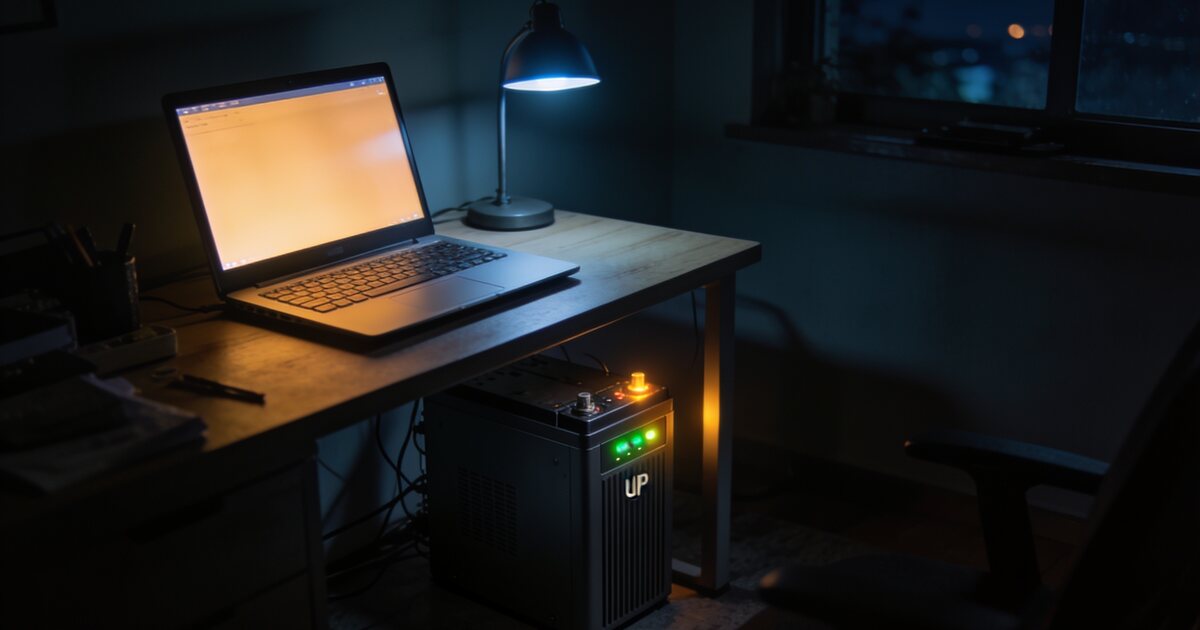
If your router is connected to a UPS (and it should be for uninterrupted internet during short outages), the clean power delivery also extends the router's lifespan. A mini UPS for your fibre ONT and router costs R500-R1,500 and keeps you online for 2-4 hours during load shedding, depending on the capacity.
Wi-Fi 7 Device Availability
A router is only half the equation. Your devices also need to support Wi-Fi 7 to take advantage of its features. As of early 2026, Wi-Fi 7 support is available in flagship phones (Samsung Galaxy S25 series, iPhone 16 series), the latest laptops, and some gaming motherboards and PCIe Wi-Fi cards.
If most of your devices are still Wi-Fi 5 or Wi-Fi 6, buying a Wi-Fi 7 router provides no immediate benefit for those devices. The router will fall back to the device's supported standard. This is an important consideration when budgeting.
Should You Upgrade?
Upgrade to Wi-Fi 7 If:
- You have a fibre connection of 500 Mbps or faster and want to maximise wireless performance
- You transfer large files between devices on your local network regularly
- You have 30+ connected devices in your household
- You are a competitive online gamer who needs minimum latency (though ethernet is still better)
- Most of your devices already support Wi-Fi 7 or Wi-Fi 6E
- You plan to keep this router for 4-5+ years and want to future-proof
Stick with Wi-Fi 6 If:
- Your internet connection is under 500 Mbps (the vast majority of SA homes)
- You have fewer than 25 connected devices
- Your current Wi-Fi 6 router covers your entire home adequately
- Your devices are mostly Wi-Fi 5 or Wi-Fi 6
- You would rather spend the budget difference on a better fibre package, a UPS, or other upgrades
Upgrade from Wi-Fi 5 or Older Regardless
If you are still using a Wi-Fi 5 or older router, upgrading to at least Wi-Fi 6 will make a noticeable difference in your daily experience. The improvements in device handling, efficiency, and range are significant enough to justify the relatively modest cost of a good Wi-Fi 6 router.
Practical Recommendation for Most South Africans
For the majority of South African households in 2026, a mid-range Wi-Fi 6 router (R1,500 - R3,000) paired with a mini UPS for your networking equipment (R500 - R1,500) is the smartest investment. This combination gives you reliable, fast Wi-Fi that covers your entire home and stays online during load shedding.
Spending R8,000+ on a Wi-Fi 7 router while your fibre tops out at 100 Mbps and you have no UPS protection is, frankly, misallocated budget. Fix the fundamentals first.
If you are building or upgrading a PC and need a Wi-Fi adapter, a Wi-Fi 6E PCIe card offers excellent performance for R400-R800. Wi-Fi 7 PCIe cards are available for R800-R1,500 if you want the latest standard. But for the best possible connection, nothing beats a R200 ethernet cable run directly to your router.
Browse Networking Solutions
Whether you need a router upgrade, a Wi-Fi adapter for your PC build, or a complete networking overhaul, browse our range of networking equipment at DirectTech. From budget Wi-Fi 6 routers to the latest Wi-Fi 7 systems, we have options for every need and budget. Need advice on the right setup for your home? Talk to our team for a personalised recommendation.