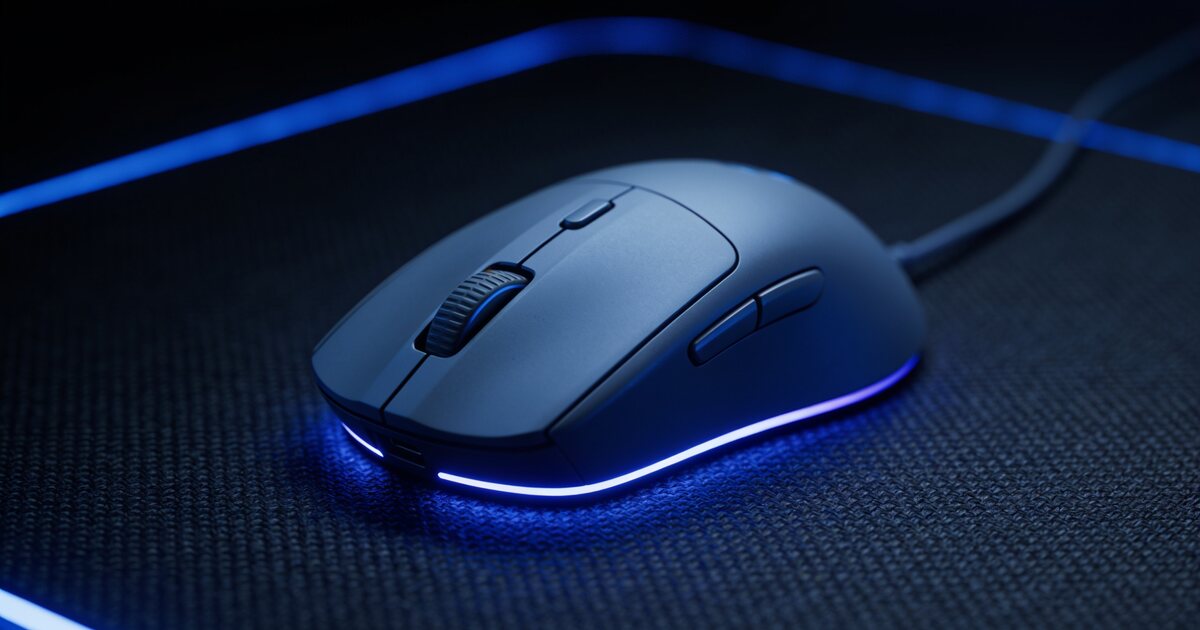
Gaming mouse marketing is a DPI arms race — 16,000! 20,000! 26,000! — and it is almost entirely irrelevant. Most professional esports players run between 400 and 1,600 DPI. What separates a great mouse from a frustrating one is a different list entirely.
Here is that list, in the order it actually matters.
1. Shape and Grip: The Thing You Cannot Spec-Sheet
A mouse lives in your hand for hours; its shape matters more than every number combined. First, identify your grip:
- Palm grip: whole hand rests on the mouse — favours larger, humped shapes.
- Claw grip: palm touches the back, fingers arched — mid-size, defined rear flare.
- Fingertip grip: only fingers touch — small, light mice win.
Also measure your hand. A 17cm hand on an oversized palm-grip mouse is a recipe for wrist strain. Product listings include dimensions for a reason.
2. Weight: Lighter Won the Argument
The industry has settled it: for fast, precise aim, lighter is better. Modern gaming mice cluster between 50g and 80g — half of what the RGB bricks of a decade ago weighed. Heavier mice (90g+) still suit slow-sensitivity palm-grip players and MMO users who want stability, but if you play shooters, aim for under 80g.
3. The Sensor: Solved — With One Catch
Good news: every current sensor from the major manufacturers (PixArt 3325 and up, and their equivalents) is flawless for human purposes. No jitter, no acceleration, tracking beyond any speed your arm can produce. Even value brands like Redragon ship excellent sensors in mice around the R500 mark — their 7,200 DPI models track as accurately in practice as flagships costing five times more.
The catch: avoid unbranded no-name mice where the sensor lottery still exists. Stick to recognised brands at any price point.
4. Wireless: No Longer a Compromise
Modern 2.4GHz wireless (with a dongle — not Bluetooth) is as fast as a cable; this is measurable and settled. Bluetooth adds noticeable lag and is for travel mice, not gaming. If you go wireless, budget for charging discipline or pick a model with a dock. A snag-free paracord-style cable on a light mouse honestly feels 90% as free as wireless at a fraction of the price.
5. Buttons and the Stuff That Breaks
Switch quality matters more than switch count. Optical switches (increasingly common even on budget boards) cannot develop the dreaded double-click fault that kills mechanical-switch mice. For MMO players, side-button grids are great — for everyone else they are accidental-press machines.
Putting It Together
Decide grip → pick a shape and size that fits → under 80g for shooters → any modern branded sensor → wireless if you will charge it, good cable if not. Browse the current mice and peripherals range and pair it with a board from our mechanical keyboard guide.
Frequently Asked Questions
What DPI should I actually use?
Somewhere between 400 and 1,600 DPI, tuned so that a comfortable arm sweep covers your screen. High DPI numbers on the box are marketing; sensitivity is a personal setting, not a quality metric.
Is a wireless gaming mouse worth it in South Africa?
If the budget stretches to a proper 2.4GHz model from a known brand, yes — the freedom is real and the latency penalty is gone. On a tight budget, a good wired mouse beats a cheap wireless one every time.
Why do pro players use such low sensitivity?
Large arm movements at low sensitivity are more repeatable and precise than small wrist flicks at high sensitivity. That is also why mousepad size has grown — give your arm room to work.
How long should a gaming mouse last?
Three to five years of heavy use. The usual failure points are the cable (solved by paracord cables or wireless) and double-clicking switches (solved by optical switches). Shape never wears out — buy the right one and you will rebuy it.