Once you type on a good mechanical keyboard, the mushy membrane board that came free with an office PC feels like typing on wet cardboard. But the hobby's jargon — linear, tactile, clicky, hot-swap, 65%, TKL — makes buying your first board more confusing than it needs to be.
Here is the plain-language version of everything that matters.
Switches: The Only Jargon You Actually Need
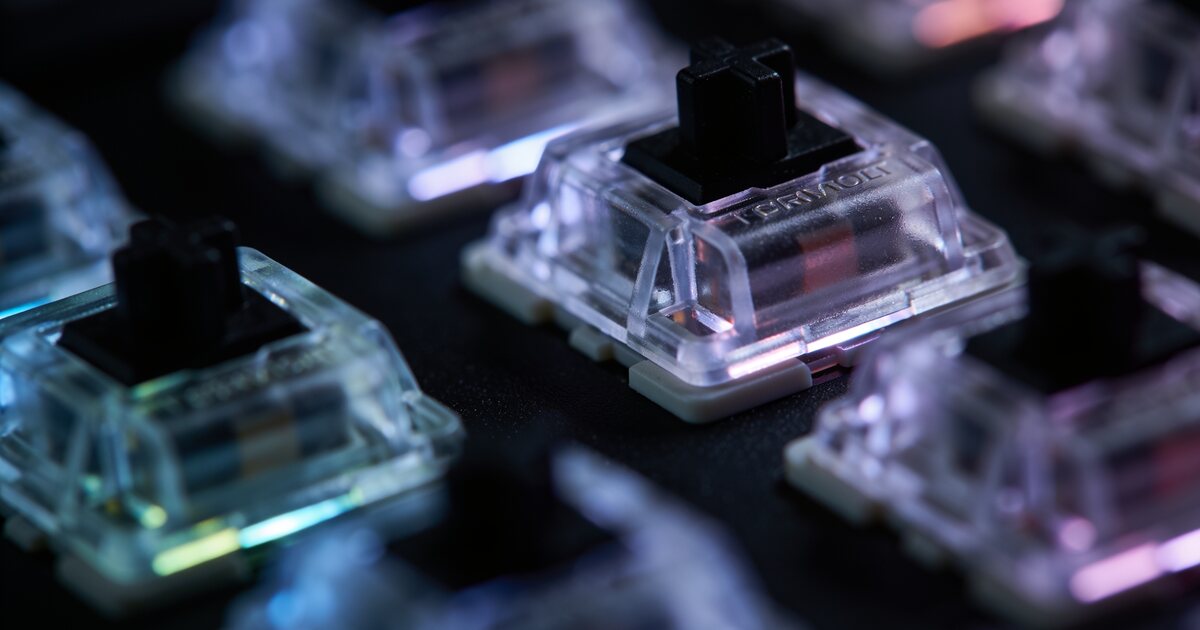
Every key sits on a switch, and the switch defines the feel. There are three families:
Linear (usually "Red")
Smooth press from top to bottom, no bump, no click. Favoured by gamers because rapid double-taps have nothing in the way. Quietest of the three.
Tactile (usually "Brown")
A gentle bump halfway down tells your fingers the key has registered. The best all-rounder — satisfying for typing, perfectly fine for gaming, and office-acceptable noise levels. If you do not know what to pick, pick tactile.
Clicky (usually "Blue")
The bump plus a loud, crisp click. Glorious to type on; grounds for divorce on a shared desk or an open-plan office call. Know your environment.
Sizes: How Many Keys Do You Really Use?
- Full-size (100%): everything including the number pad. Best for spreadsheet warriors and accountants.
- TKL (tenkeyless / 80%): drops the number pad. Frees a huge chunk of desk for your mouse hand — the gamer favourite.
- 75% and 65%: compact boards that keep arrows and (on 75%) the function row while shrinking the footprint. The current sweet spot for most buyers.
- 60%: no arrows, no function row — everything lives on layers. Clean-looking, portable, and a learning curve most people underestimate.
Features Worth Paying For
Hot-Swap Sockets
Lets you pull switches out and push new ones in without soldering. Your first board will not be your last preference — hot-swap means changing your mind costs a set of switches, not a whole keyboard.
Wireless Done Right
Modern boards from brands like Keychron run Bluetooth for three devices plus a 2.4GHz dongle for gaming-grade latency, and switch between them with a shortcut. Genuinely useful if you move between a laptop, PC and tablet.
PBT Keycaps
Cheaper ABS keycaps go shiny and greasy-looking within months. PBT caps keep their texture for years. This is the difference between a board that looks new and one that looks tired by December.
What About RGB?
Pure preference. It adds nothing to typing or gaming performance, but a well-lit board with south-facing LEDs does look superb. Redragon builds some of the best value RGB boards in the country if lighting matters to you.
Picking Your First Board
For most people: a 75% or TKL tactile board with hot-swap sockets and PBT caps hits every mark — comfortable to type on, gaming-ready, quiet enough for the office, and adjustable later. Browse the current keyboards range to see what fits your budget, and pair it with the right pointer using our upcoming gaming mouse guide.
Frequently Asked Questions
Are mechanical keyboards actually better for typing?
For most people, yes — consistent key feel, precise actuation and better build quality genuinely improve comfort over long sessions. They also last: quality switches are rated for 50 million or more presses.
Which switch type is best for gaming?
Linear (red) switches are the conventional choice because there is no tactile bump interrupting fast repeated presses. That said, plenty of competitive players use tactile switches — reaction time differences are marginal.
Are mechanical keyboards too loud for an office?
Linear and tactile switches on a decent board are only slightly louder than a laptop keyboard. It is specifically clicky (blue) switches that carry across a room — avoid those for shared spaces.
What does hot-swappable mean and do I need it?
It means switches plug into sockets rather than being soldered to the board, so you can change the feel of the keyboard yourself in minutes. For a first mechanical keyboard it is the feature most worth insisting on.