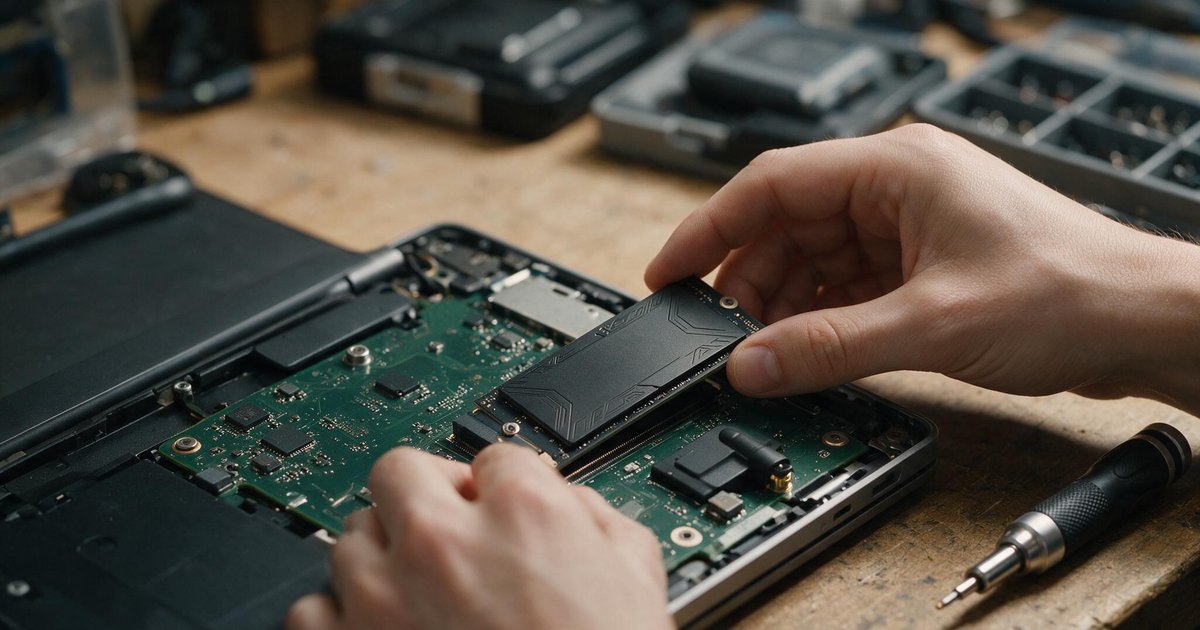
There is one upgrade that reliably resurrects ageing computers, costs less than a family dinner out, and takes an afternoon: replacing a spinning hard drive with an SSD. Windows boots in seconds instead of minutes, programs open instantly, and the machine you were about to replace buys itself another three years.
Why It Works So Well
A hard drive physically moves a read head across spinning platters — every file request waits in a mechanical queue. An SSD is pure silicon: thousands of operations at once, no moving parts, near-zero latency. Since the operating system makes thousands of small reads constantly, everything feels faster, not just file copies.
Which Drive Fits Your Machine?
Older laptops and desktops: a 2.5″ SATA SSD slots exactly where the old hard drive lives. Any machine from the last fifteen years takes one. Modern motherboards and laptops: an M.2 NVMe drive — a stick the size of chewing gum — is five to ten times faster again. Check your manual for an M.2 slot, or just look: it is a small horizontal socket on the board. Our consumer SSD range labels every drive clearly as SATA or NVMe.
How Big to Go
500GB is the sensible floor — Windows plus applications plus breathing room. 1TB is the sweet spot at current prices, and larger drives are actually faster and more durable, because SSDs use spare capacity to spread wear. Brands worth trusting: Micron/Crucial, who make the actual memory chips, and Patriot for price-per-gig value. Both carry official SA warranties with published endurance ratings.
The Migration, Honestly
Two routes. Clone: free tools copy your existing Windows onto the new drive — everything exactly as it was, no reinstalling. Fresh install: a clean Windows on the new drive, old disk kept as storage — slightly more work, noticeably cleaner result on a machine that has accumulated years of software sediment. Either way, back up documents first; storage upgrades punish overconfidence.
The Verdict
If a machine in your house still boots off a hard drive, this is the best money-to-happiness ratio in computing. R700–R1,500, one afternoon, three more years of useful life. Free delivery over R3,450 — which is easily reached if you finally add that RAM upgrade to the same order.